WHITE BALANCE (WB) & COLOUR TEMPERATURE
The Kelvin scale, the advantages of shooting RAW and controlling colour casts in photography.
COOL VS. WARM K VALUE
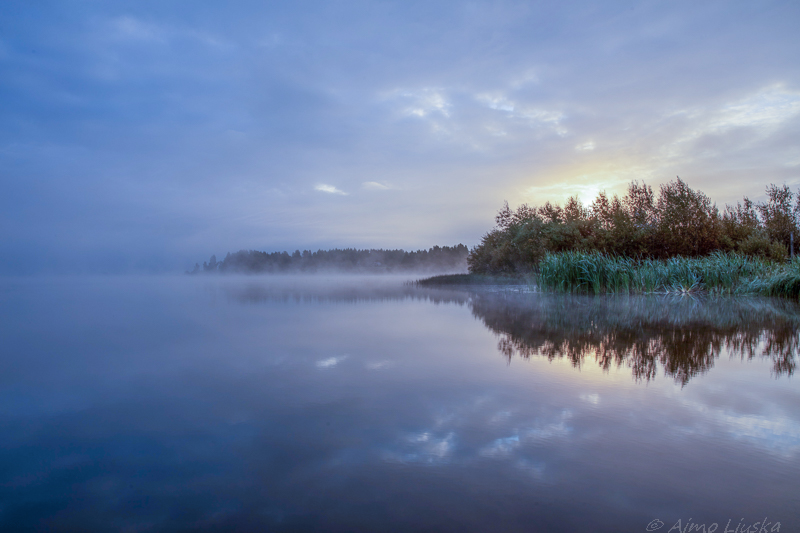
(e.g. 3000 K set in the camera)
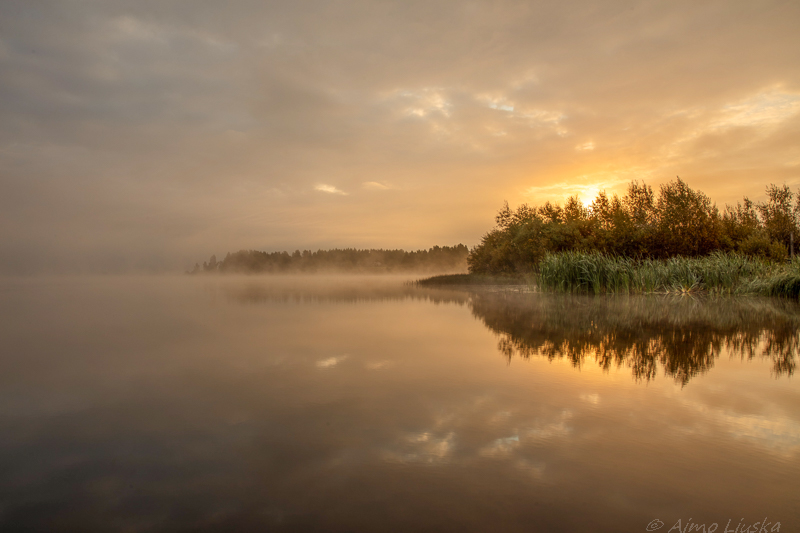
(e.g. 7500 K set in the camera)
How does this work in the camera?
The camera's white balance setting works the other way round: if you choose a low Kelvin value (e.g. 3000 K), the camera adds blue to the photo to cool down warm light. If you choose a high Kelvin value (e.g. 7500 K), the camera adds warm orange to balance cool shade.
THE KELVIN SCALE (K) EXPLAINED
Colour temperature is measured on the Kelvin scale (K). The lower the Kelvin value of a light source, the warmer (more orange) the light. The higher the value, the cooler (bluer) it is.
| Kelvin (K) | Light source | Colour tone |
|---|---|---|
| 2000 K – 3000 K | Candlelight, incandescent bulb, sunset | Warm orange / yellow |
| 4000 K – 4500 K | Fluorescent tube, early morning sunlight | Neutral warm |
| 5000 K – 5600 K | Midday sun, flashgun | Pure white (daylight) |
| 6500 K – 7500 K | Cloudy sky, shaded area | Cool bluish |
| 8000 K + | Deep shade, blue hour | Strongly blue |
RAW VS. JPG
The format you shoot in decides how permanent your white balance choice is:
- Shooting RAW: White balance is not "locked in" when you take the photo. You can change the Kelvin value freely in post-processing without any loss of quality.
- Shooting JPG: The camera bakes the colours into the photo. A small correction afterwards works, but a big change reduces quality: an 8-bit JPEG has few tones, so gradients can show banding and the colours can turn unnatural.
GREY CARD AND TINT
Getting perfectly neutral colour in difficult lighting:
- Grey card (18% neutral grey): Take a photo of the card in the same light as your subject. In post-processing click the card with the eyedropper = perfect WB.
- Tint (green / magenta): Lighting (e.g. in sports halls) often has a green or purple cast, which is corrected with the Tint slider in addition to Kelvin.